

Optimize Performance. Extend Battery Life.
Keep your DESLOC smart lock up to date for smoother performance, enhanced stability, and better battery efficiency — all directly from the DESLOC App.
1. Why Firmware Updates Matter
Firmware updates help improve your smart lock experience by optimizing system performance, enhancing connectivity stability, and reducing unnecessary battery consumption.
With the latest firmware installed, your DESLOC lock can operate more efficiently and deliver a smoother everyday access experience.
2. Supported DESLOC Smart Locks
Firmware upgrades are currently available for selected DESLOC smart locks, including:
- C100 Plus Smart Lock
- D Series Smart Locks
- K Series Smart Locks
Please make sure your lock is connected to the DESLOC App before starting the update.
3. Ways to Upgrade
3.1 Follow the following 3 steps first:
a. Open your smart lock settings in the DESLOC App and go to General.
b. Select Firmware Upgrade to check available updates.
c. Choose the way you want to upgrade.
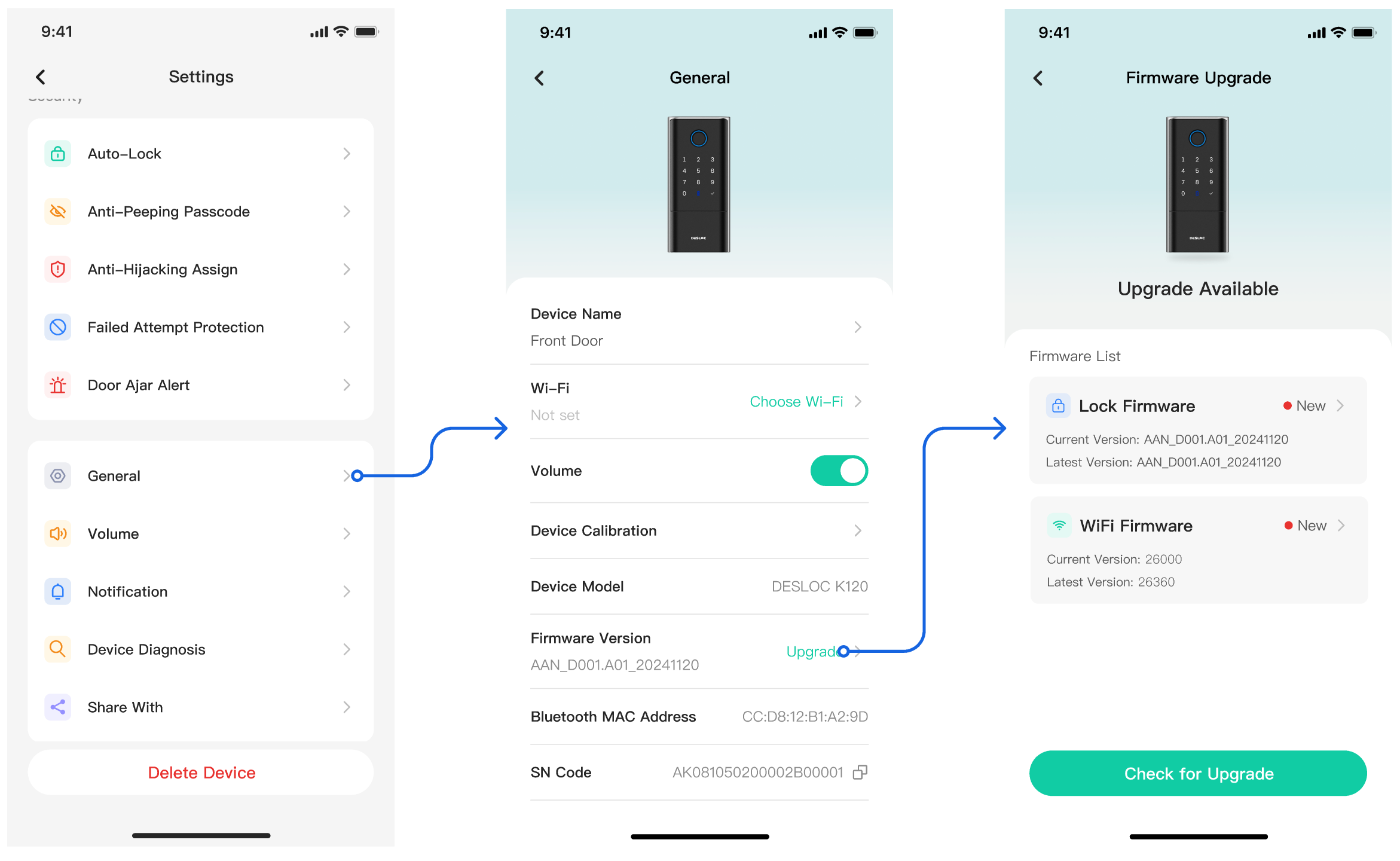
3.2 Choose the WiFi Upgrade or Bluetooth Upgrade
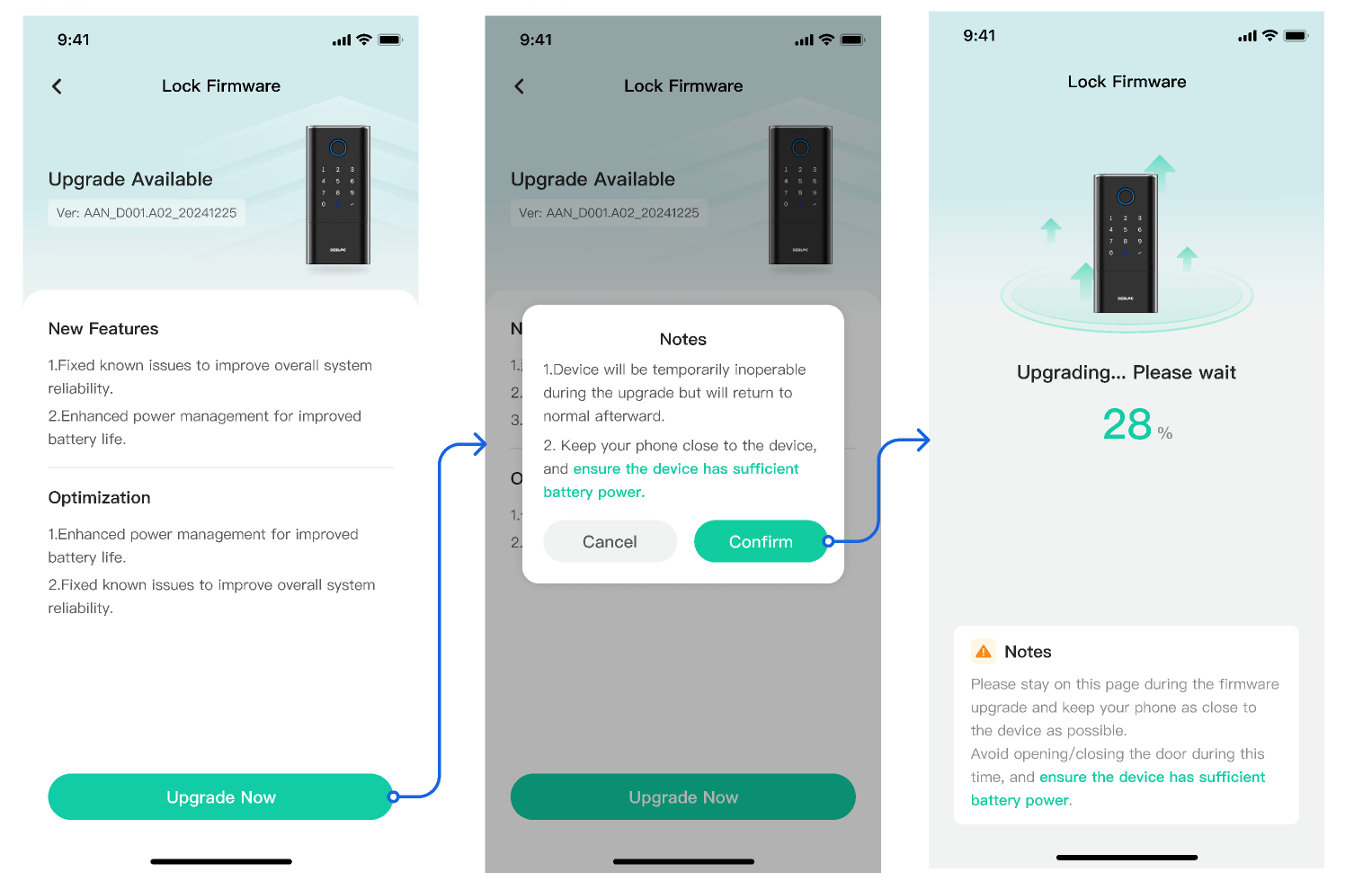
3.2.1 Lock Firmware Upgrade (Bluetooth Upgrade)
3.2.2 WiFi Firmware Upgrade
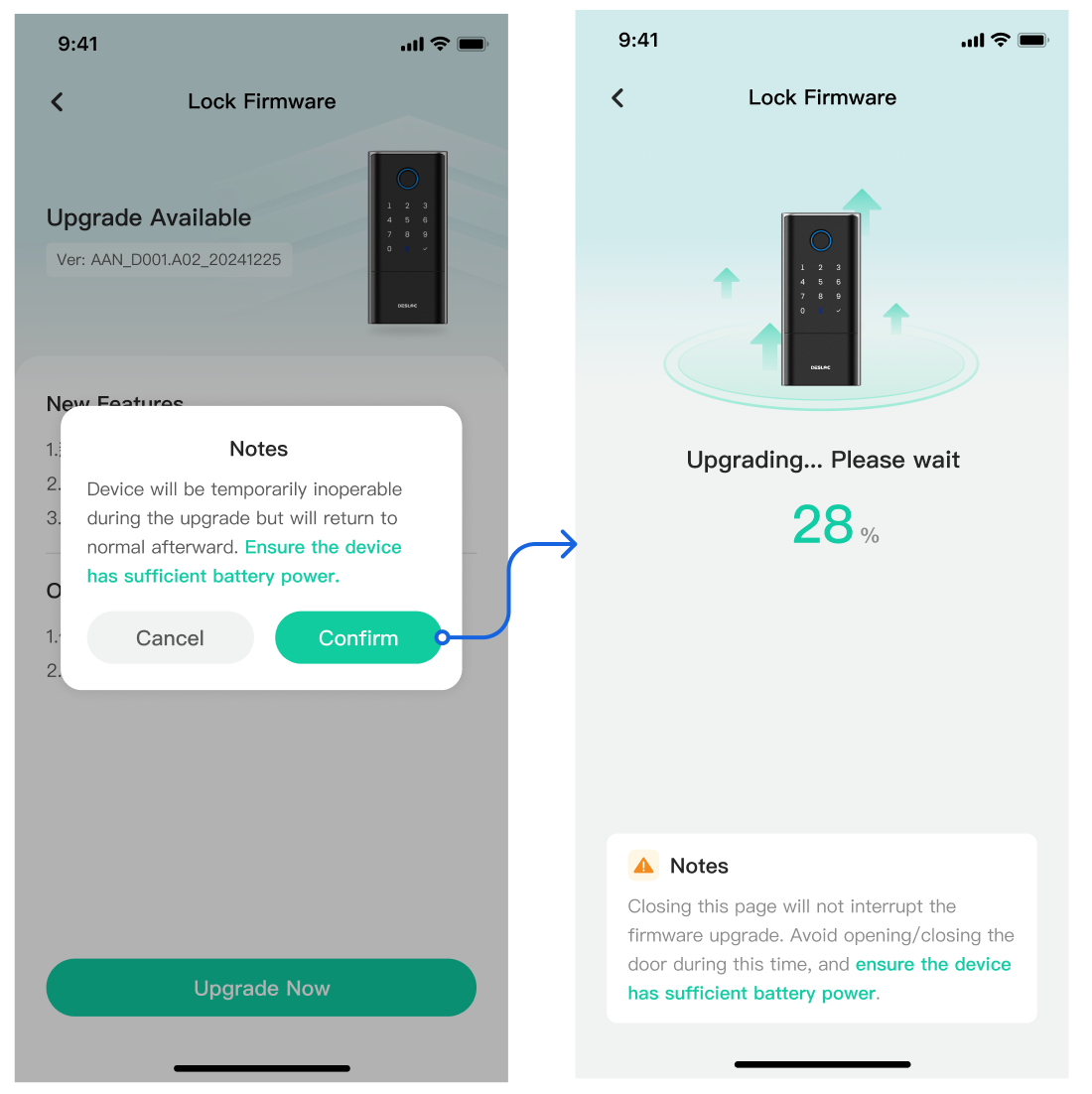
**Before You Start**
- Stay near the lock & keep your phone connected during the Bluetooth upgrade.
- Ensure sufficient battery power before updating.
- Do not remove batteries or interrupt the process during upgrade.
- During the firmware update process, the smart lock functions will be temporarily disabled. Please do not attempt to lock or unlock the door during the update.